 English
 Türkçe
BlueprintsResponse
The never‑miss‑an‑enquiry system
Every DM, every WhatsApp message, every form and every missed call turns into a reply and a booking path within minutes.
Why it matters
Most people who call a local business don't reach a live person, and most of them don't wait and call back; they call a competitor. This system gives the first reply instantly with automation and keeps people for the moments that need people.
- 62%of calls to local businesses didn't reach a live personSource: 411 Locals, 85 businesses, 30 days (US)
- 45%of salon guests prefer to book digitally whenever possibleSource: Phorest Consumer Insights 2025, 716 guests (UK, Ireland)
- 26% → 55%trust in AI when a path to a human is visibleSource: Five9 2026 Consumer CX Report, 3,000 consumers
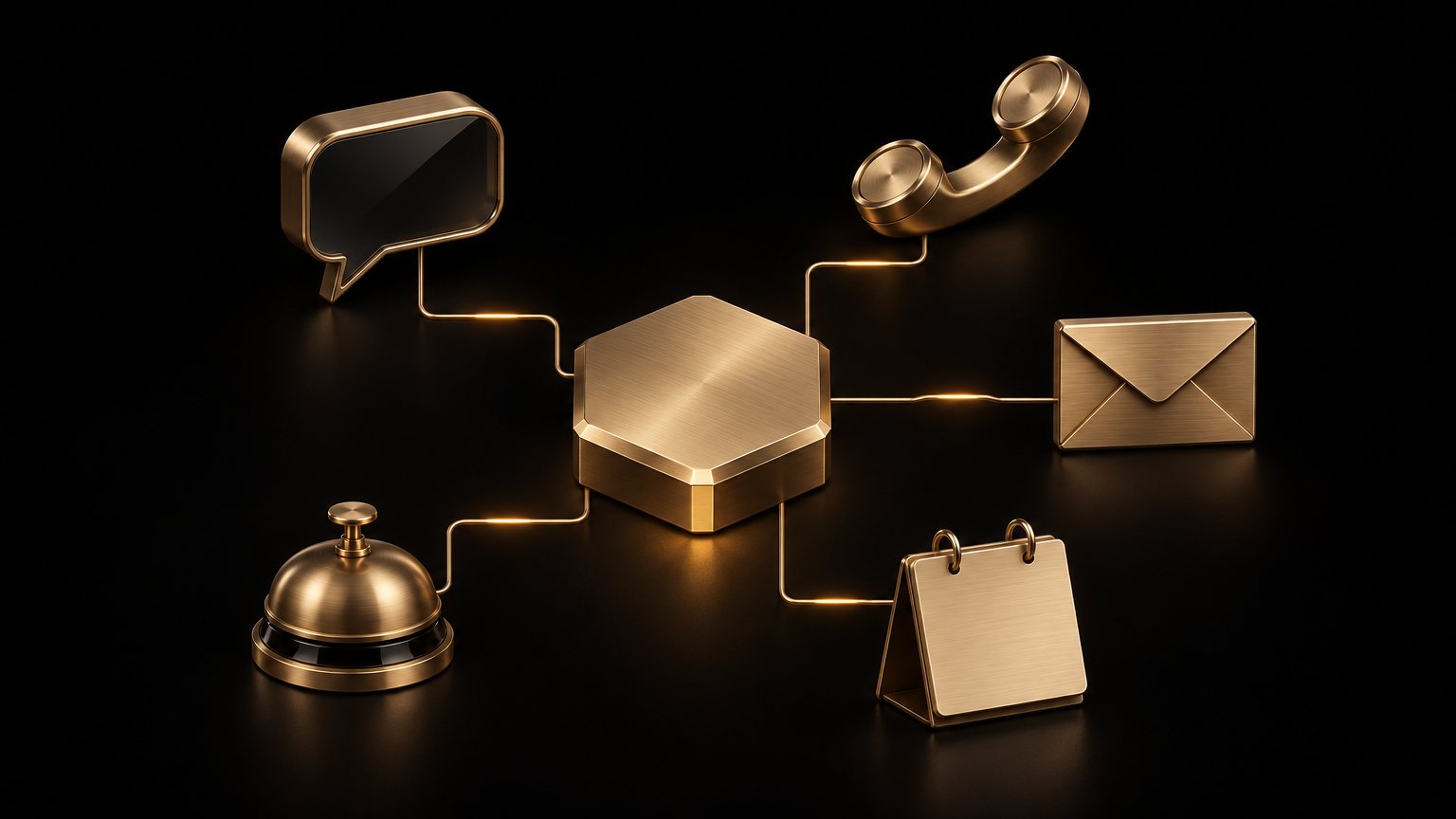
The system map
Five modules and one rule in the middle that holds them together. Each is explained below, one by one, step by step.
How it works
-
One inbox
First, open every door into one room.
When messages are spread over three apps and two phones, some will be missed. Instagram and Facebook messages come together in the Meta Business Suite inbox. For WhatsApp, use WhatsApp Business on the business number, not a personal app.
Step by step
- Switch Instagram to a professional account and connect it to your Facebook page.
- Open the inbox in Meta Business Suite; add the people who answer messages, with their own access.
- Install WhatsApp Business on the business number; fill in profile, address, hours and catalogue.
- Set labels: New, Asked price, Booked, Follow up, Closed.
- Write down who watches the inbox, and when.
- Tools
- Meta Business Suite, WhatsApp Business (both free)
- Time
- 2 hours, once
-
First reply
Reply within a minute, and give the next step in that reply.
"Hi, we'll get back to you" is not an answer. A good first message says who you are, links to the three most common questions and opens the way to a booking. Instant replies and FAQs in Meta Business Suite, and greeting and away messages in WhatsApp Business, exist for exactly this.
Step by step
- Pull the 10 most common questions from last month's messages.
- Write the instant reply: thanks, the reply time during opening hours, the booking link and the pricing page.
- Write the away message for after hours: when you will reply and how to book without waiting.
- Save quick replies for the five most common questions; the team personalises them before sending.
- Test everything from your own phone, writing as a customer would.
- Tools
- Meta Business Suite automated responses, WhatsApp Business messaging tools
- Time
- 1.5 hours
-
Missed calls
An unanswered phone doesn't have to be a lost customer.
In a small study, only 38% of calls to local businesses reached a live person. In CallRail's 2025 survey, 82% of people said they would call a competitor if nobody answered. Turning a missed call into a message wins much of that back.
Step by step
- If you use a cloud phone system, set an automatic text or WhatsApp message for missed calls.
- No cloud system? Start simple: at 12:00 and 18:00 every day, send a short message to the missed-calls list.
- The message: who you are, why you couldn't pick up, the booking link and when you'll call.
- Put anyone who calls twice in a day first; it usually means it's urgent.
- Tools
- A cloud phone system or your phone's call log, WhatsApp Business or SMS
- Time
- 1 hour
-
Online booking
Show the free slots instead of asking for them.
In Phorest's 2025 research, 45% of salon guests prefer to book digitally whenever they can. Booking platforms say that somewhere between a third and half of their bookings come in outside opening hours. That is the platforms' own figure, but the direction is clear: people want to book at night too.
Step by step
- Choose a booking tool: a platform built for your industry, or Google Calendar's appointment schedules.
- Add services with their real durations; leave buffer time between them.
- Put the link on your Instagram profile, in the WhatsApp greeting, on your Google Business Profile and on your site.
- Add the address, parking and how to prepare to the booking confirmation.
- Tools
- Google Calendar appointment schedules or an industry booking platform
- Time
- 2 to 3 hours
-
Reminders and follow-up
Getting the booking is half the job. Getting them to show up is the other half.
Reminders reduce no-shows, and a follow-up brings back conversations that stalled. The dose matters: one reminder and one follow-up are enough; a third message builds irritation, not interest.
Step by step
- Set an automatic reminder 24 hours before each appointment, with a cancel and reschedule link.
- Two days after someone asks a price and doesn't book, send one follow-up message.
- No reply? Label it "Closed" and let it go.
- Send promotional messages only to people who opted in; keep reminders and promotions apart.
- Tools
- Your booking tool's reminders, WhatsApp Business labels
- Time
- 1 hour
Core · Human handover rule
Automation greets, people close
Price negotiation, complaints and anything health-related go to a person within 10 minutes during opening hours.
Build order
In order, over the first month. Each step builds on the one before.
- Day 1Connect the accounts; set up the Meta Business Suite inbox and WhatsApp Business.
- Day 2Write the first reply, the away message and quick replies; test them yourself.
- Week 1Set up the booking tool and add the link to every channel.
- Week 2Turn on missed-call messages and reminders; give the team the handover rule in writing.
- Month 1Compare first-reply time, missed calls and message-to-booking rate with week one.
What to measure
These four numbers tell you the system is working.
- First reply timeThe average time until a person takes over during opening hours. Target: under 10 minutes.
- Missed calls per weekHow many were won back by message, and how many became bookings.
- Message-to-booking rateOut of every 10 conversations, how many reached the calendar.
- No-showsThe four weeks before reminders against the four weeks after.

Files · 3 working files
Put the system to work
A checklist, ready-to-use copy and a tracking sheet. Download and adapt them to your business.View files
- PDFResponse — Handover Rules.pdfWhich message goes to whom, and how fast: a fill-in handover plan plus the build list.106 KB
- TXTResponse — Ready Messages.txtFirst reply, away message, missed call, booking confirmation, reminder and follow-up.2 KB
- CSVResponse — Enquiry and Booking Tracking.csvTracks each enquiry's channel, first-reply time, owner and outcome.1 KB
Frequently asked questions
Won't an automatic reply put customers off?
Automation alone does. In Qualtrics' research across 23 countries, 61% of people prefer channels where they talk to a person, on average. That is why automation only gives the first reply here, and people carry the conversation.
Can I send bulk promotions on WhatsApp?
Only to people who agreed to receive marketing messages. In the US, the UK and the EU, marketing texts and messages need consent. A booking reminder and a promotion are different things.
Should I use an AI assistant?
It helps with the first reply and common questions. But customers must see they can reach a person: in Five9's 2026 report, trust in AI rises from 26% to 55% when that path is visible.
More blueprints
 Local
The chosen‑on‑Google system
People look at three businesses and pick one. This system is built so the one they pick is you.
Read the blueprint3 working files Content
The one‑person content team
One hour of filming a week, a week of content. AI works in the background; real people are on camera.
Read the blueprint3 working files Ads
The ad‑to‑appointment system
Ad spend is tied to appointments in the calendar, not to clicks.
Read the blueprint3 working files